


Match 3D -Matching Puzzle Game
4.575.18K Reviews
App Specs
- Version
- 1246.1.0
- Updated On
- License
- Free
- Downloads
- 50,000,000+
- Developer
- Lion Studios Plus
- Categories
- Puzzle
- Platform
- Android
Screenshots

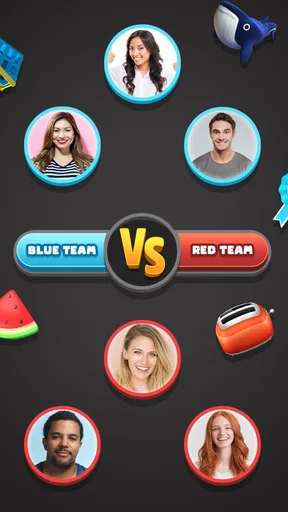
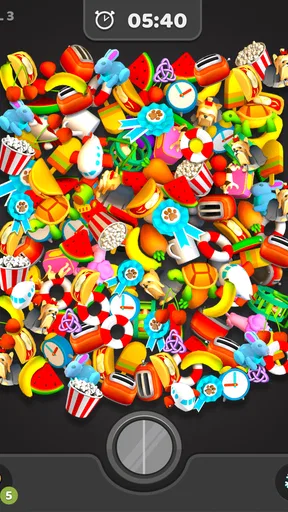
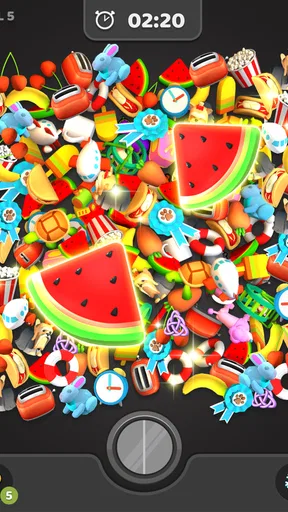
 Analysis by AppCompare
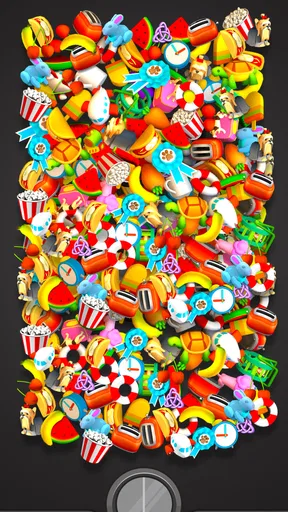
I approached Match 3D -Matching Puzzle Game expecting a simple way to pass a few spare minutes, and that is exactly where it fits best. It is a free puzzle game from Lion Studios Plus built around finding identical three-dimensional objects and pairing them before the board becomes harder to manage. The idea is easy to understand within seconds, but the visual clutter gives it more tension than a basic matching exercise.
My first impression was that the game works well as a quiet, low-pressure distraction. There is no complicated story to follow, no long tutorial to memorize, and no special knowledge needed before starting. You look across a pile of objects, identify two matching pieces, tap them, and continue clearing the space. That straightforward loop makes it approachable for children, casual players, and anyone who wants something lighter than a competitive puzzle game.
What makes it worth discussing is not the basic rule itself, but how the board changes the way I look at it. Objects overlap, recognizable shapes become harder to spot, and a careless tap can leave the most useful pieces buried under less important ones. I found that the game rewards a repeatable visual routine more than frantic speed. Once I stopped scanning randomly, the levels felt calmer and more manageable.
How the everyday matching routine actually feels
The normal session begins with a crowded arrangement of colorful objects. My job is to locate pairs that belong together and remove them from the play area. At first, I naturally searched for obvious matches: two similar food items, toys, tools, or other familiar shapes. That works early on, but it becomes less reliable when several objects have similar colors or when one item is partly hidden behind another.
The most useful baseline habit is to divide the board into small visual zones. I usually start at one corner, scan toward the center, then move across the remaining area instead of jumping from one object to another. This reduces the chance of repeatedly checking the same pieces. It also helps me remember where a matching object was located when its partner appears later.
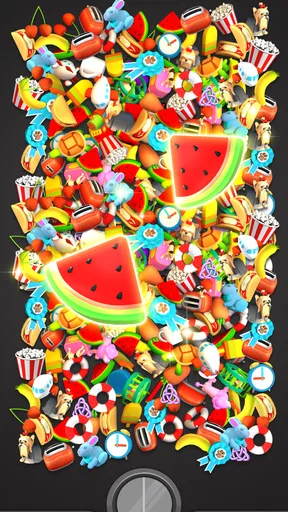
I recommend making pairs deliberately rather than tapping the first match that catches your eye. When several options are available, I first remove objects that are covering other pieces. This creates more visibility and gives the next scan a clearer shape. A pair that looks easy is not always the best pair if it leaves an important section of the pile blocked.
That small decision is one of the game’s more interesting trade-offs. Clearing visible objects quickly feels satisfying, but exposing the board can be more valuable than simply reducing the number of pieces. Players who treat every move as part of the next scan tend to have a smoother time than those who react only to whatever is most noticeable.
Worth Reading Before You Choose

Flipboard Shows What News Apps Must Do Beyond the Feed

Switching to Android Auto Means Rethinking Your Driving Routine

Google Calendar Makes a Crowded Week Easier to Manage

Ludo King Makes the Most of the Minutes Between Plans

Baby Panda World Brings Quick Play to Modern Phones, but Its Game Library Feels Busy

ESPN’s Live Game View Makes Following Close Games Easier
For an everyday example, I can see this fitting into a short break while waiting for an appointment or letting tea cool. A single session is easy to approach because I do not need to remember a storyline or prepare a strategy before opening it. I can play with sound muted and still understand what is happening. It also suits a tired evening when a more demanding game would feel like work.
The game is rated for Everyone, which matches its accessible presentation and uncomplicated controls. That does not mean every player will find it equally enjoyable. Younger users may appreciate the bright objects and direct goals, while adults who prefer deep logic may find the matching rule too repetitive after extended play.
Small settings checks that improve comfort
Before settling into longer sessions, I would check the device’s sound and notification behavior rather than assuming the game should be played with every effect enabled. Puzzle play does not depend on audio cues, so muting sound can make it easier to concentrate in public places or during a quiet break. If I want a more relaxing experience, I keep the phone at a comfortable brightness and avoid playing while rushing between tasks.
The most important practical setting is the one that affects how comfortably I can see small objects. A crowded three-dimensional board benefits from clear screen visibility, especially when two pieces share a similar outline. Increasing brightness can help indoors, while reducing glare is more useful outdoors. This is not a special game feature, but it changes how accurately I can distinguish partially covered objects.
I also prefer to disable interruptions from other apps before beginning a focused run. A notification arriving while I am comparing two nearly identical objects can break the visual map I have built in my head. The game itself is simple enough that concentration becomes the main resource, so protecting that concentration is more useful than searching for a complicated configuration.
Players should also remember that free games can include optional purchases. Match 3D is free to start, while its listed in-app purchase range runs from $0.99 to $199.99 per item. I would treat purchases as a personal limit decision, not as part of the core matching skill. Anyone handing the device to a child should review the phone’s purchase controls first, because an accessible game can still be connected to the account’s normal payment settings.
The current version is 1246.1.0, and the listed minimum operating system is Android 8.1. That makes the game suitable for many older Android devices, although the practical experience will still depend on screen size, responsiveness, and available storage. On a smaller display, crowded objects can be more tiring to inspect than they are on a larger phone or tablet.
Faster patterns for clearing a crowded board
My fastest improvement came from separating recognition from tapping. Instead of touching the first object I notice, I scan for a pair, hold both locations in mind, and then remove them. This sounds slower, but it prevents wasted movement and reduces the repeated searching that happens when I clear one item without knowing where its partner is.
A second useful pattern is to prioritize pairs that unlock information. If one object is sitting over several others, matching it can reveal multiple new choices. I do not follow this rule blindly, because an obvious pair may be easier and safer, but it gives me a strong default when the board feels crowded. The goal is not merely to make the pile smaller; it is to make the remaining pile easier to read.
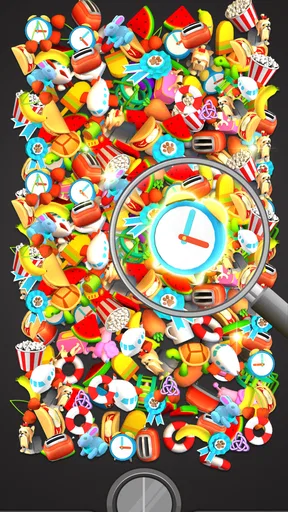
Color is helpful, but I try not to rely on it alone. Similar shades can make two unrelated objects look connected, while identical objects may appear different because one is partly hidden. I compare silhouette, size, and distinctive details before tapping. This is especially useful when the board contains several rounded or brightly colored pieces that blend together at a quick glance.
Another habit is to keep a short mental list of unmatched objects near the edges. Edge pieces are often easier to relocate than objects in the center, so I use them as anchors during the next scan. If I find one half of a pair but not the other, I remember its general area rather than trying to memorize the exact position. That keeps the process manageable without turning a relaxing game into a memory test.
When I am playing for relaxation, I deliberately accept a slower pace. When I am trying to improve, I make each scan more systematic. Those are different modes, and mixing them can make the game feel oddly frustrating. The same board can be enjoyable as a visual break or annoying if I am chasing speed without a clear reason.
Experienced players may also benefit from stopping briefly after a major section opens. A newly exposed group can change the best order of play, and continuing immediately can lead to old assumptions about where objects are located. A short reset of attention helps me see the new layout instead of continuing to search the board as it looked a moment earlier.
Where the simple design reaches its limits
The main limitation is repetition. The central action remains matching three-dimensional objects, so players seeking changing rules, a story campaign, or complex deduction may eventually want a different puzzle game. Match 3D offers a pleasant loop, but it is not designed to replace a traditional brain teaser with multiple mechanics.
There is also a difference between relaxing and becoming efficient. The more seriously I approach a board, the more I focus on scanning order, exposure, and visual memory. That can make the experience feel less casual. Someone who wants a game that stays completely mindless may dislike the moments when the pile demands careful attention.
Screen size matters more here than in many flat tile-matching games. A compact phone can make overlapping objects harder to identify, particularly for players with tired eyes or limited vision. A larger screen is not required, but it can make the board easier to inspect. Players who often struggle with tiny visual details may prefer a puzzle with larger, fixed tiles.
Compared with a conventional match-three game, this feels more tactile and observational. There are no rows of gems to swap in a predictable grid; instead, I search through a layered collection of objects. Compared with a memory-card game, it gives me more visual information at once and asks me to manage clutter rather than simply remember hidden positions. Compared with a serious logic title, it is much easier to start but offers less variety in the kind of reasoning required.
Those comparisons clarify who should skip it. If you want wordplay, number deduction, elaborate planning, or a long-form challenge, this is probably too narrow. If you dislike visual repetition or find crowded screens uncomfortable, the basic concept may not overcome that issue. I would also skip it when I am looking for a game with meaningful progression beyond the act of clearing objects.
On the other hand, it is a good choice for people who enjoy sorting, visual search, and short sessions. It can work as a gentle focus exercise, a way to occupy idle time, or a casual game to share with someone who does not normally play mobile titles. The Everyone age rating and free entry point make it easy to try without committing to a purchase.
Who will get the most from it
I think the strongest audience is the player who likes simple rules with just enough clutter to create a challenge. You do not need a guide to understand the objective, but you can still improve by changing your scanning habits. That balance gives the game more staying power than the store summary alone suggests, even though the underlying mechanic remains familiar.
It is also useful for players who want control over their session length. I can approach it for a brief pause, stop after a completed stretch, or continue when I am in the mood for a longer run. The lack of a complicated setup makes it easier to fit around daily routines than games that require a large uninterrupted block of time.
Families should find the controls approachable, but I would still encourage adults to explain that optional purchases are not necessary for learning the matching system. The game is free, yet the presence of paid items means the device owner should manage account safeguards according to their household’s needs. That is a practical consideration, not a criticism of the puzzle itself.
The audience size suggests that the formula has broad appeal: the game has a 4.5 average from around 567 thousand ratings and more than 50 million installs. I see those figures as evidence that the concept is easy to pick up, not as a guarantee that every player will enjoy its repetition. Popularity helps set expectations, but personal preference still matters more here than social proof.
Lion Studios Plus has kept the presentation focused on the central action rather than surrounding it with a complicated interface. That simplicity is a strength when I want immediate play. It is less compelling when I want customization, narrative context, or a sense that each session teaches a substantially new system.
My verdict after settling into the pattern
Match 3D is at its best when I use it as a focused matching exercise instead of expecting a full-scale puzzle adventure. The combination of familiar objects, layered boards, and quick recognition makes it easy to start, while careful scanning gives experienced players a way to become more consistent. My practical advice is to clear blocking pairs first, scan in zones, compare shapes rather than color alone, and pause whenever a newly opened area changes the board.
I would recommend it to a friend who wants a free, approachable puzzle for short breaks and enjoys visual sorting. I would not recommend it to someone seeking deep logic, a rich story, or a constantly changing rule set. The optional purchase range is another reason to keep spending controls in mind, particularly on a shared device.
After playing with a more deliberate routine, I found the game more satisfying than a quick glance at its simple premise might suggest. It is not an endlessly varied puzzle system, but it does turn ordinary object recognition into a clean, mildly challenging habit. For the right player, the real appeal is the calm rhythm of making the board easier to read one pair at a time.
Overall, I see it as a dependable casual title rather than a game to master for its depth. Its free starting point, accessible age rating, and uncomplicated controls make trying it easy. If your ideal mobile puzzle is something you can open without preparation, improve through better visual habits, and leave whenever your break ends, this one earns a recommendation.
Pros
- Simple drag-and-match controls are easy for beginners to understand.
- Short levels make it convenient for quick breaks or casual play.
- Colorful 3D objects are clearly displayed and easy to recognize.
- Increasing difficulty provides a steady challenge as you progress.
- Offline play lets you enjoy many levels without a constant connection.
Cons
- Repeated object sets can make later levels feel somewhat predictable.
- Timed stages may feel stressful for players who prefer relaxed puzzles.
- Some useful boosters may require ads or in-app purchases.
- The 3D visuals can become crowded when many objects appear together.
- Progression may feel repetitive after extended play sessions.
FAQs for Match 3D -Matching Puzzle Game
What is Match 3D - Matching Puzzle Game?
Match 3D - Matching Puzzle Game is a casual sorting and matching game in which you search through a collection of three-dimensional objects and pair identical items. The main idea is easy to understand, but the challenge increases as more objects appear and the available time becomes limited. It is designed for short, relaxing play sessions while still testing your observation, concentration, and speed.
How do you play Match 3D, and is it suitable for beginners?
To play, you tap two identical 3D objects on the screen to match and remove them from the playing area. You continue pairing items until the board is cleared or the level objective is completed. The early stages work well as a tutorial because they introduce the mechanics gradually. However, later levels require faster scanning, careful object recognition, and better use of the available space.
Can Match 3D be played without an internet connection?
Many levels in Match 3D can generally be played offline, making the game convenient for travel, waiting rooms, or situations with an unreliable connection. However, certain features may depend on internet access, including advertisements, cloud-related services, special events, updates, or in-app purchases. If offline play is important to you, it is best to test the game after installation and check which functions remain available without a connection.
Does Match 3D contain advertisements or in-app purchases?
Match 3D is free to download, but the experience may include advertisements, particularly between levels or when you choose optional rewards. Some versions also offer in-app purchases for removing ads, obtaining hints, receiving extra time, or unlocking other helpful features. You can usually progress without spending money, although players who want a smoother experience or additional assistance may encounter optional paid upgrades.
What are the main advantages and disadvantages of Match 3D?
The biggest advantages are its simple controls, colorful 3D objects, relaxing gameplay, and short levels that are easy to fit into a busy day. It can also help exercise visual attention and object recognition. On the other hand, the game may become repetitive for players who prefer deeper strategy, and increasing difficulty can make some stages feel dependent on hints or extra time. Advertisements may also interrupt the flow.


